Despite the economic turmoil, some companies are still hiring. Yet even when they do, there is a big possibility that the new employee will do tasks remotely – at least for now.
Remote work has its benefits but we cannot deny the fact that most of us miss working in the office too. With the struggles we’re facing with virtual work, including onboarding for new hires, it is important to get well adjusted to the new normal.
You see, according to studies, effective onboarding practices are a big factor for employee retention. So, how do you hold a comprehensive onboarding for new hires in today’s remote situation?
Provide their needed supplies
Make a list of what the new employee needs to get their job done. Aside from the technological aspect like equipment and software, do not forget about the basic items. If they need office materials, send them along with the employee care package.
Delivery or curbside pickup
When it comes to sending the supplies, you may opt for delivery or curbside pickup. In consideration with health protocols like physical distancing, you need to interact with as few people as possible to slow the spread of viruses. Hence, it would only be reasonable to have it delivered to your employee’s doorstep or instruct them to pick it up if they’re around the office location.
Connect before the first day
Get the new employee acquainted with the company and its culture as early as possible. Add him/her before their first day on the team’s messaging platform and let them familiarize with the applications they’ll be using. Connect them with their team leader ahead of time.
Remote access and control
Every business has its own tools and settings to get the work done, and it takes time before a new employee can get accustomed to them. Oftentimes, a videoconferencing call is all that’s needed to collaborate with people. However, with labor-intensive tasks, this isn’t enough.
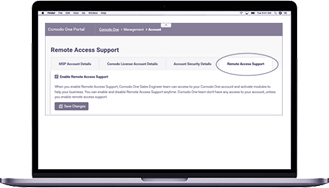
Fortunately, best free Remote Access Software can save a lot of time and energy. Instead of only calling the person over the phone to explain about the cloud, establishing VPN connection, or configuring two-factor authentication, using the screen sharing option of a remote tool is much better.
Connect new hire to key people
Building a strong bond among the team is imperative, so introduce the new employee to the key people in your organization. Get a long-time employee to tell his/her experiences about the company. Have a product representative explain what the company does. And if a fairly new employee has experiences of being promoted, allow them to share their thoughts with the new hire. This will make the new employee feel as though he/she has been part of the history of the company’s success.
Sharing screens and collaboration
Virtual learning can be hard but it’s possible. Solutions like best free remote access software enables you to share screens and collaborate in real-time. While non-interactive videos can give background information, it is ideal to give the new hire a hands-on experience using the digital tools you have.
Set expectations
Expectations should be defined clearly, so the new hire will know what he/she needs to do. Ensure that they have the appropriate knowledge, skills, and resources to accomplish what you expect of them. Set aside time and discuss a plan with the new hire reflecting the current situation. What do you expect them to achieve within 30, 60, or 90 days? How can the new employee develop their skills within this timeframe?
Live trainings
Do several face-to-face video training as you can. While it can be tempting to just send the new hires videos and presentations, it would be best if you check in with them often, making sure that they assimilate into the company in no time.
Closing Thoughts
Remote onboarding can be tough but once you get the hang of it, the experiences you gain can go a long way. Organizations that take what they learn during these trying times will have the advantage as they move forward. Having a well-established remote onboarding process will make it easier for the team to welcome someone virtually. Once you find out how to deliver provisioning and digital training, the new hire can work at their own pace no matter where they live.
Itarian is a remote desktop software that helps you ensure secure connections between two computers. Contact us now and let us automate your business!
